Tutorials How-Tos

28 articles
How to open HEIC photos online on Windows, Android, or any browser

How to open HEIC photos online on Windows, Android, or any browser

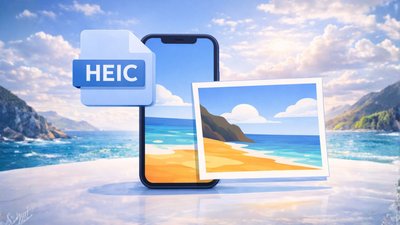
Open HEIC photos online Someone AirDropped you a batch of iPhone photos. You drop them into Windows Explorer, double-click, and get a blank preview or a codec error. Android and Windows do not always handle HEIC cleanly, and the official fix — installing Apple's HEIF extensions, or buying a third-party
Connect Seedr to Infuse (iOS, tvOS, macOS)

Connect Seedr to Infuse (iOS, tvOS, macOS)

Infuse is the nicest media player on Apple hardware. Point it at your Seedr account over WebDAV or FTP and you get your whole Seedr library on Apple TV, iPhone, iPad, and Mac with posters, metadata, and fast scrubbing — no Plex server, no home PC. What this gets you

Three ways to add links and files in Seedr V2

Three ways to add links and files in Seedr V2

Seedr V2 rebuilds the add-to-cloud flow around one button and one paste. You can add a link, scan a webpage for downloads, upload a local file, or share straight from your phone — all without switching tabs. Why we changed the add-flow In V1, adding content meant picking the right

How to watch cloud videos offline with Seedr V2

How to watch cloud videos offline with Seedr V2

Watch cloud videos offline with Seedr V2 Offline Mode in Seedr V2 lets you save any file from your cloud to your device and watch it with no connection. One tap to mark a file offline. Switch to airplane mode. Press play. No buffering. This is a V2-only feature, Premium

Mount Seedr as a Drive (FTP, SFTP, WebDAV)

Mount Seedr as a Drive (FTP, SFTP, WebDAV)

Mounting turns Seedr into a normal folder on your machine. Your file manager, video player, or media server sees the files like they are on a local drive — no uploads, no downloads, just a remote filesystem. This works the same on Seedr V1 and V2. What this gets you

Use the Seedr Roku plugin — install and setup

Use the Seedr Roku plugin — install and setup

Roku is a closed-enough platform that getting a custom app on it takes more steps than a Fire TV or a Shield. The Seedr Roku plugin works by using Roku's Developer Mode to side-load the channel from your computer. Once it is in, it behaves like any other Roku channel

How to view and organise images online, no software

How to view and organise images online, no software

View and organise your images online, without installing anything You want to look at a folder of photos without plugging in a cable, installing a photo app, or sending the files through a messaging app just to see them on another screen. Short answer: upload the images to Seedr, click

Connect Seedr to Jellyfin over WebDAV (step by step)

Connect Seedr to Jellyfin over WebDAV (step by step)

Jellyfin is the open-source answer to Plex: it scrapes your media, builds a library with posters and metadata, and streams to any device on your network. Point it at a Seedr mount and you have a private media server backed by cloud storage — no local NAS, no files sitting

How to convert Word to PDF online without Microsoft Office

How to convert Word to PDF online without Microsoft Office

Convert Word to PDF online, no Office required You finished the document in Word. The person on the other end wants a PDF. You are on a phone, a borrowed laptop, or a locked-down work machine where installing Office is not happening. The answer is converting Word to PDF online,